Contractor CRM
Run every job from first call to final payment.
The CRM we built for our contractor clients, included with our marketing packages. Leads, estimates, e-signatures, scheduling, invoices, payments and reviews in one place, set up for you and branded with your logo.
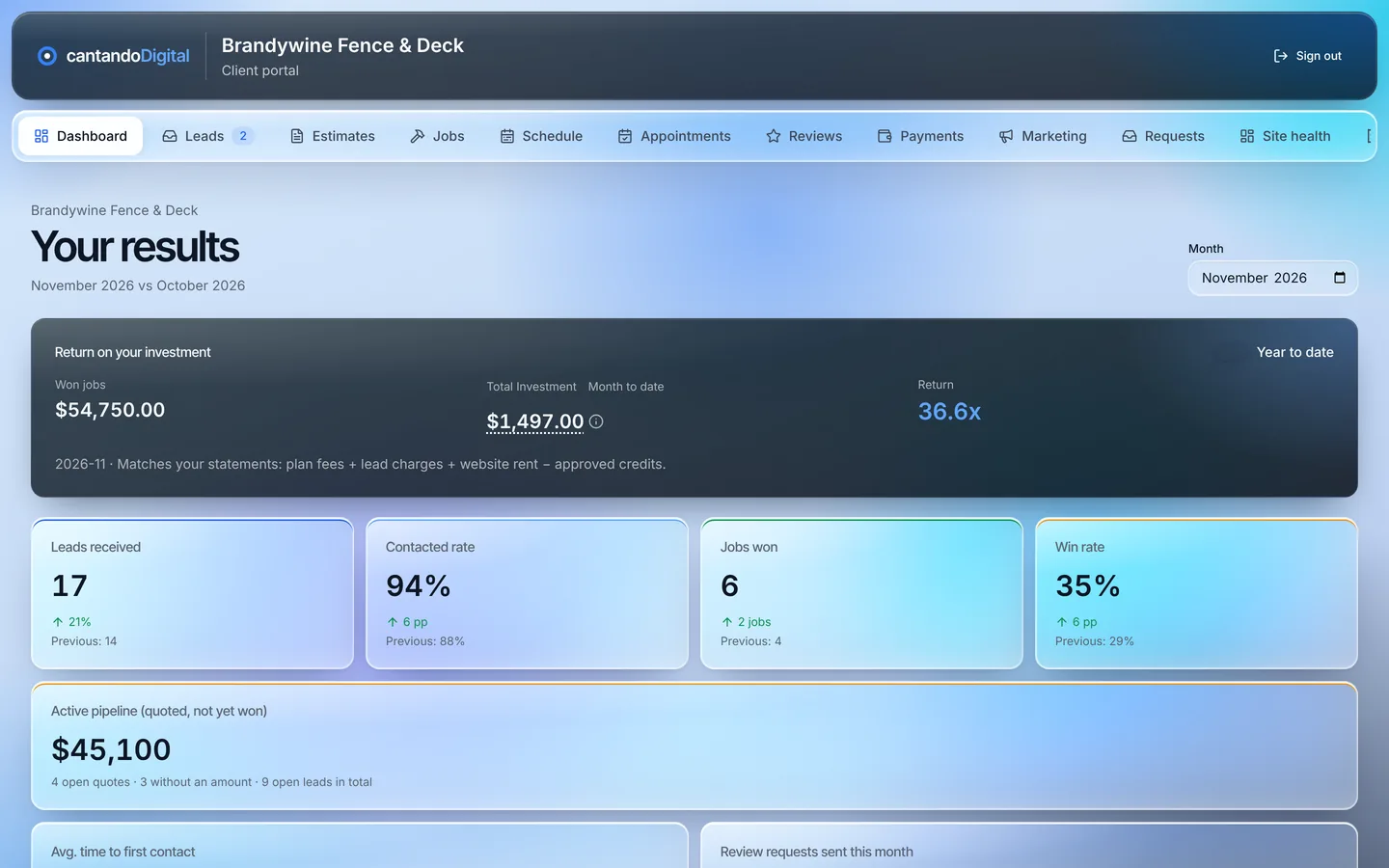
Screens show a demo account with sample data.
What it does
One system instead of five apps.
Most contractors pay for a CRM, an e-sign app, a scheduling app, an invoicing app and a review tool. Here's what ours does in one login.
Leads
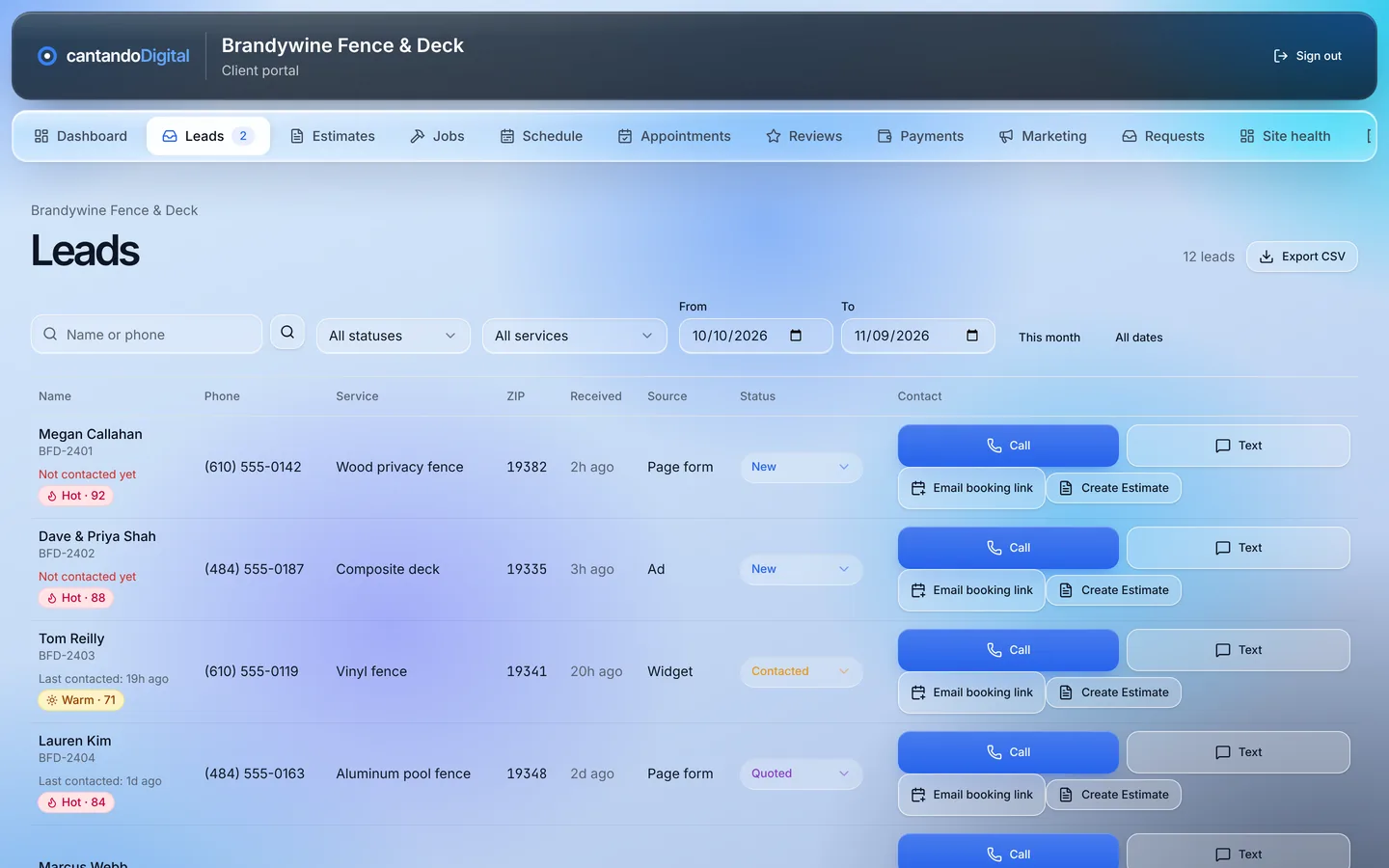
Every lead in one inbox, the minute it comes in.
Included with every packageWebsite forms and phone leads land in one list instead of scattered across texts, voicemails and email. You see who they are, what they need and where they are in your pipeline.
- Move leads from new to quoted to won or lost
- Call, text or email in one tap
- Notes and lost reasons, so you learn why jobs slip away
Estimates
Branded estimates in minutes, with options that sell up.
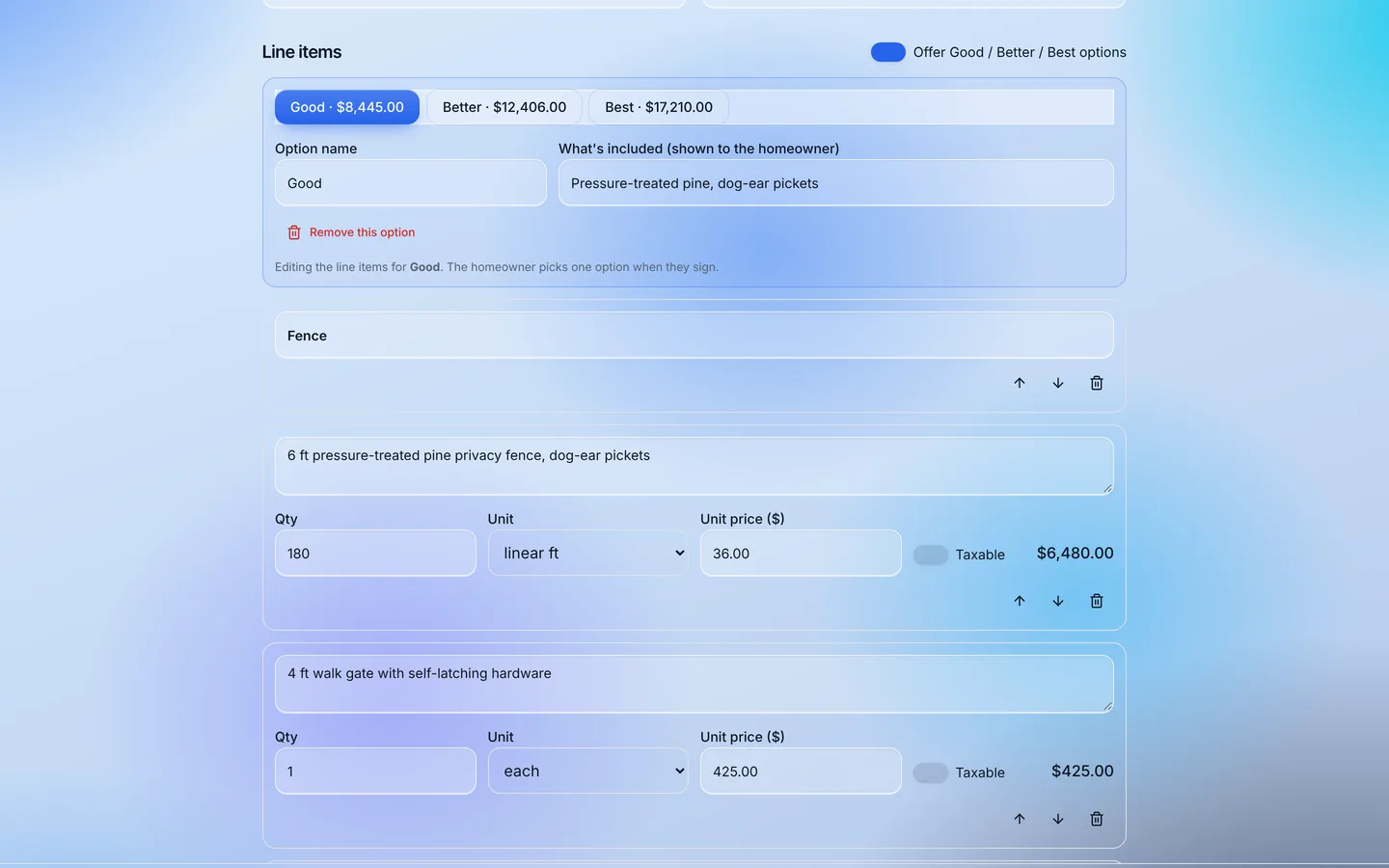
Included with every packageBuild estimates from your own price book with your logo on top. On Enterprise, show Good, Better and Best options side by side and watch homeowners pick the middle one.
- Your logo, terms and price book
- Good / Better / Best options with their own totals (Enterprise)
- Change orders for extra work after the job starts (Enterprise)
E-signatures
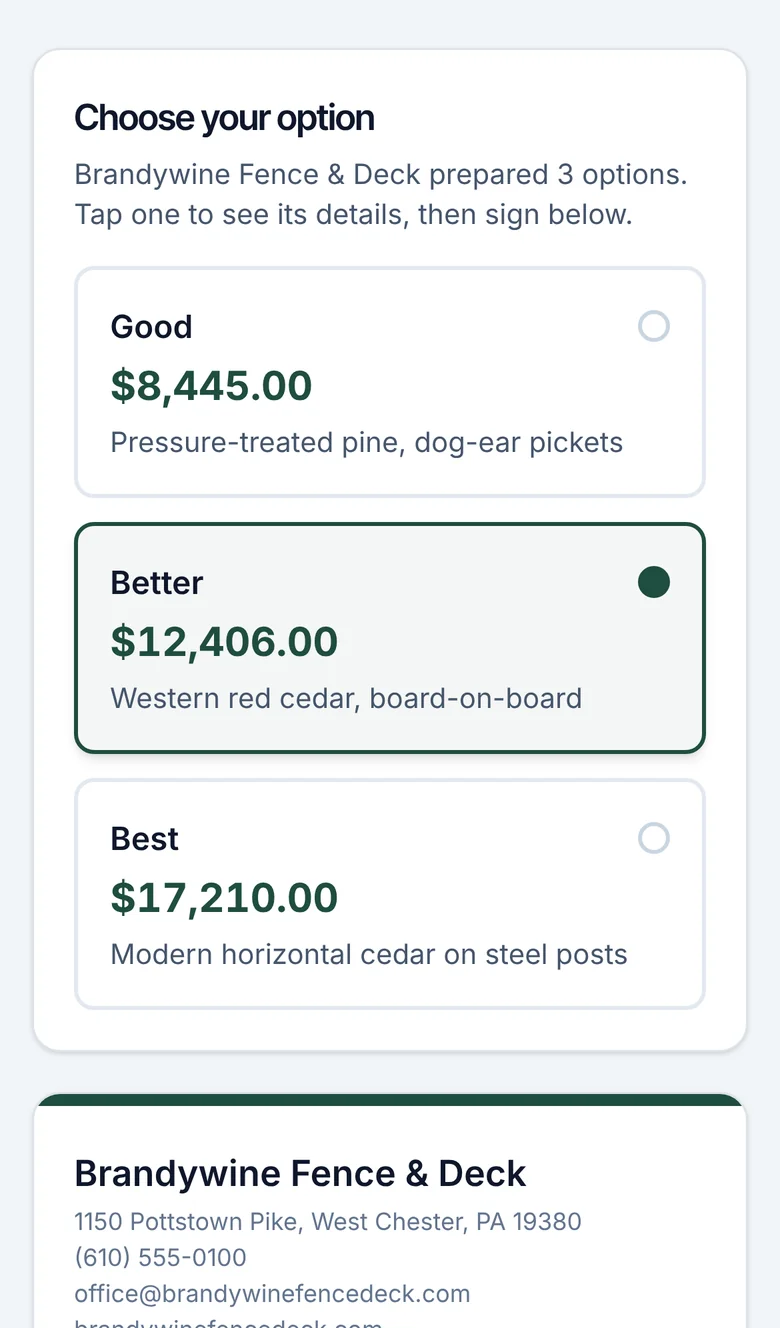
Homeowners choose an option and sign on their phone.
CRM EnterpriseNo printing, scanning or chasing. The homeowner opens a link, picks an option, signs with a finger and you get a signed PDF with a full audit trail. You also see when they opened it, and the CRM follows up if they go quiet.
- Works on any phone, no app or account
- Signed PDF and audit trail kept for you
- Automatic follow-ups on unsigned estimates
Jobs and profit
Know what every job actually made.
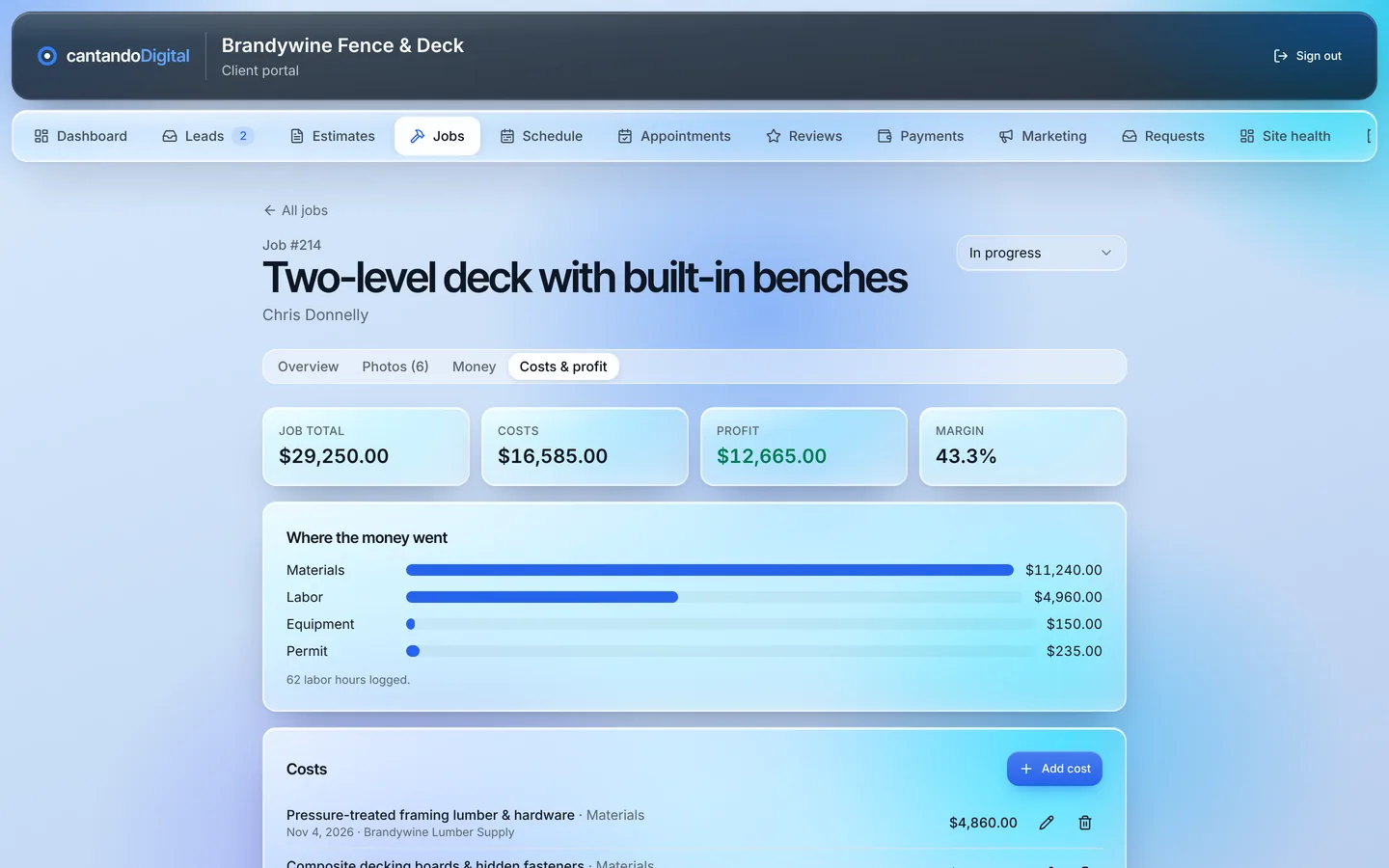
CRM EnterpriseTurn a signed estimate into a job with one tap. Log materials, labor and subcontractor costs as you go, attach before-and-after photos and see your profit and margin on each job.
- Costs, profit and margin per job
- Job photos stored with the job
- A private job page for the homeowner
Crew schedule
Your crews and your calendar, in one view.
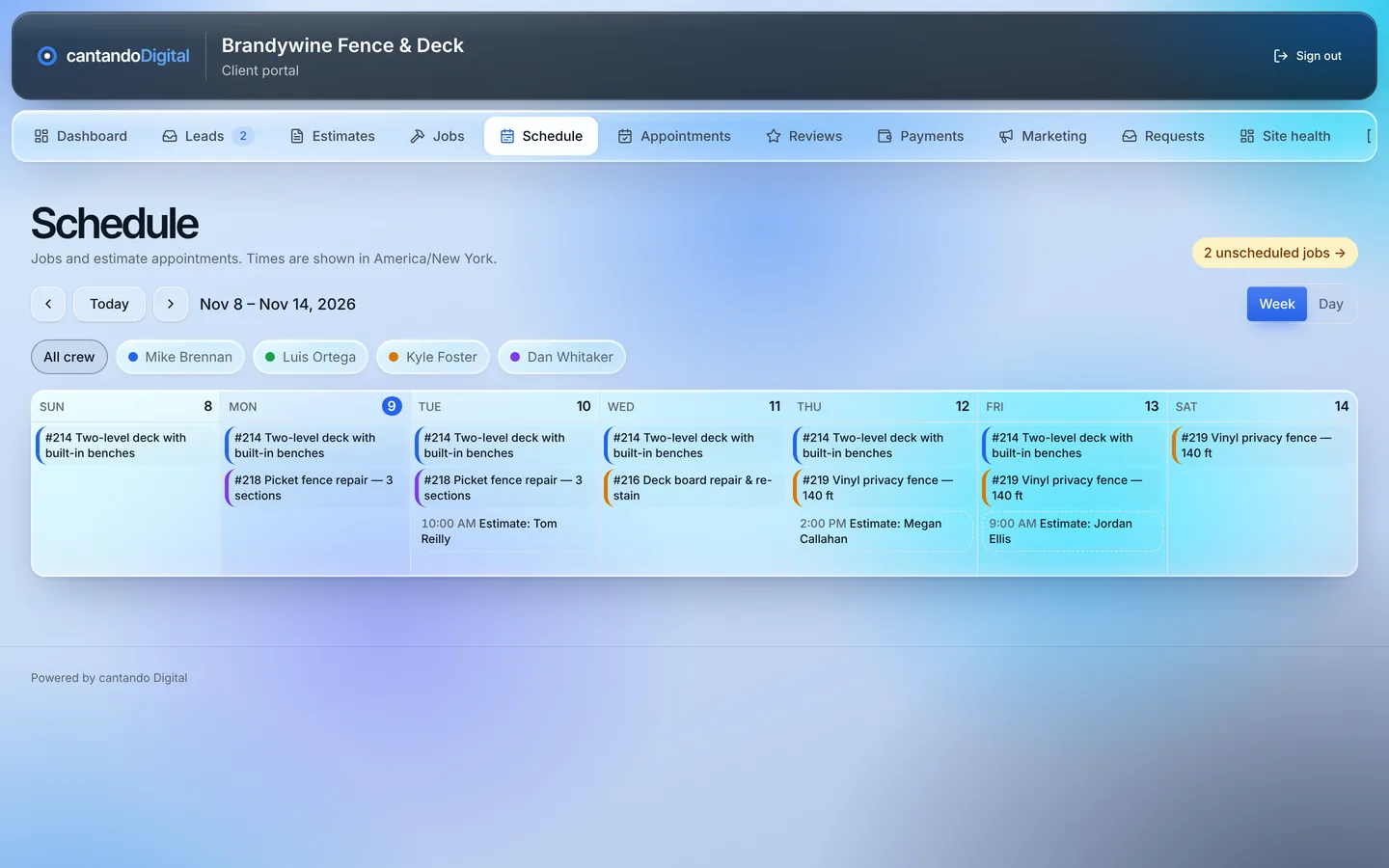
CRM EnterpriseSchedule jobs by crew and day. Homeowners get a “starting soon” email before the job and an “on my way” email when the crew heads out, so the phone rings less.
- Crew calendar by week
- Starting-soon and on-my-way emails
- Online booking for estimate appointments
Invoices and payments
Get paid faster, straight to your own account.
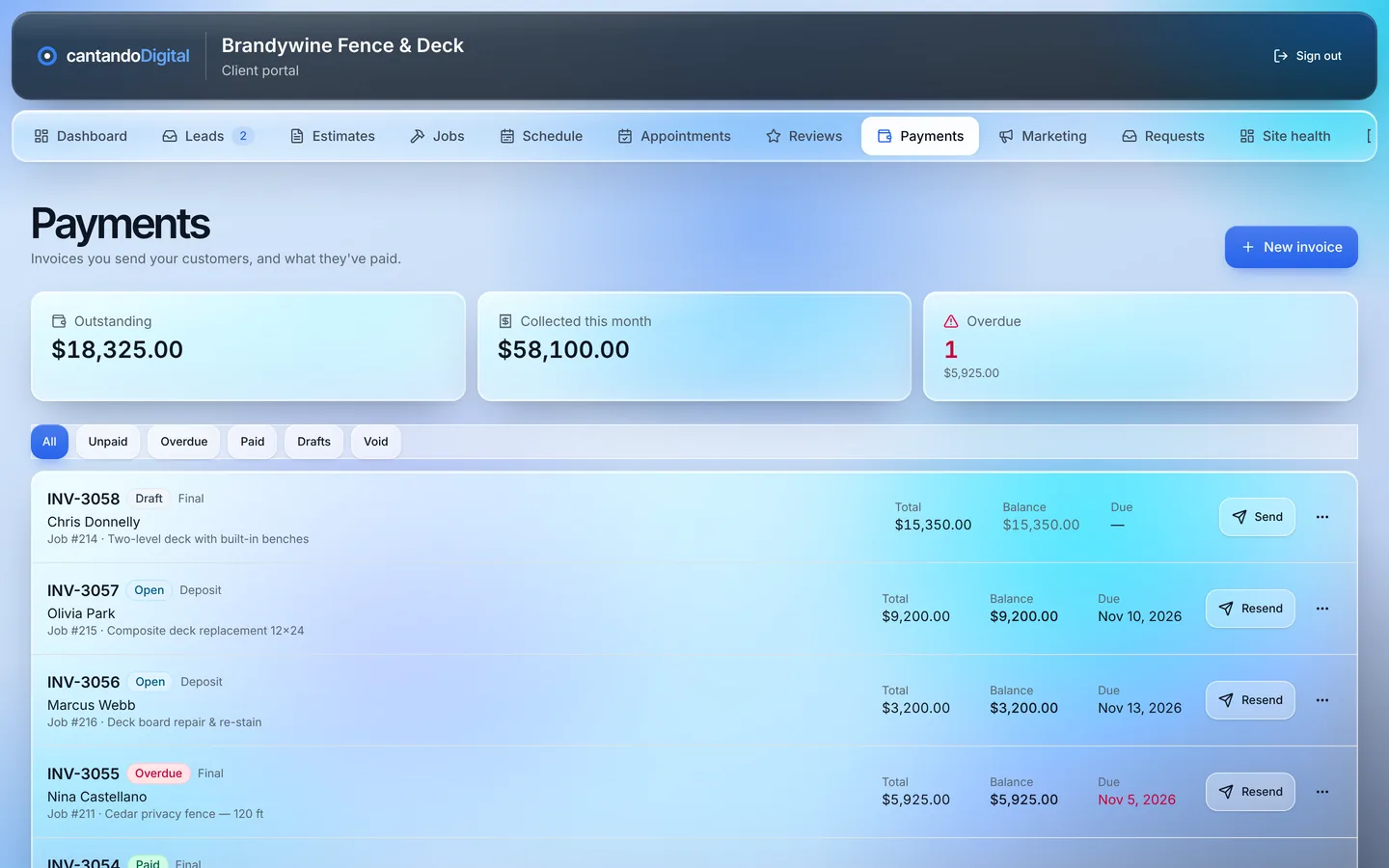
CRM EnterpriseSend deposit and final invoices that homeowners pay online by card or bank transfer. Money goes to your own Stripe account and we take no cut. Reminders go out on their own and payments sync to QuickBooks Online.
- Deposits and final invoices
- Card and bank payments, no cut to us
- Automatic reminders and QuickBooks sync
Reviews
More five-star reviews without asking every time.
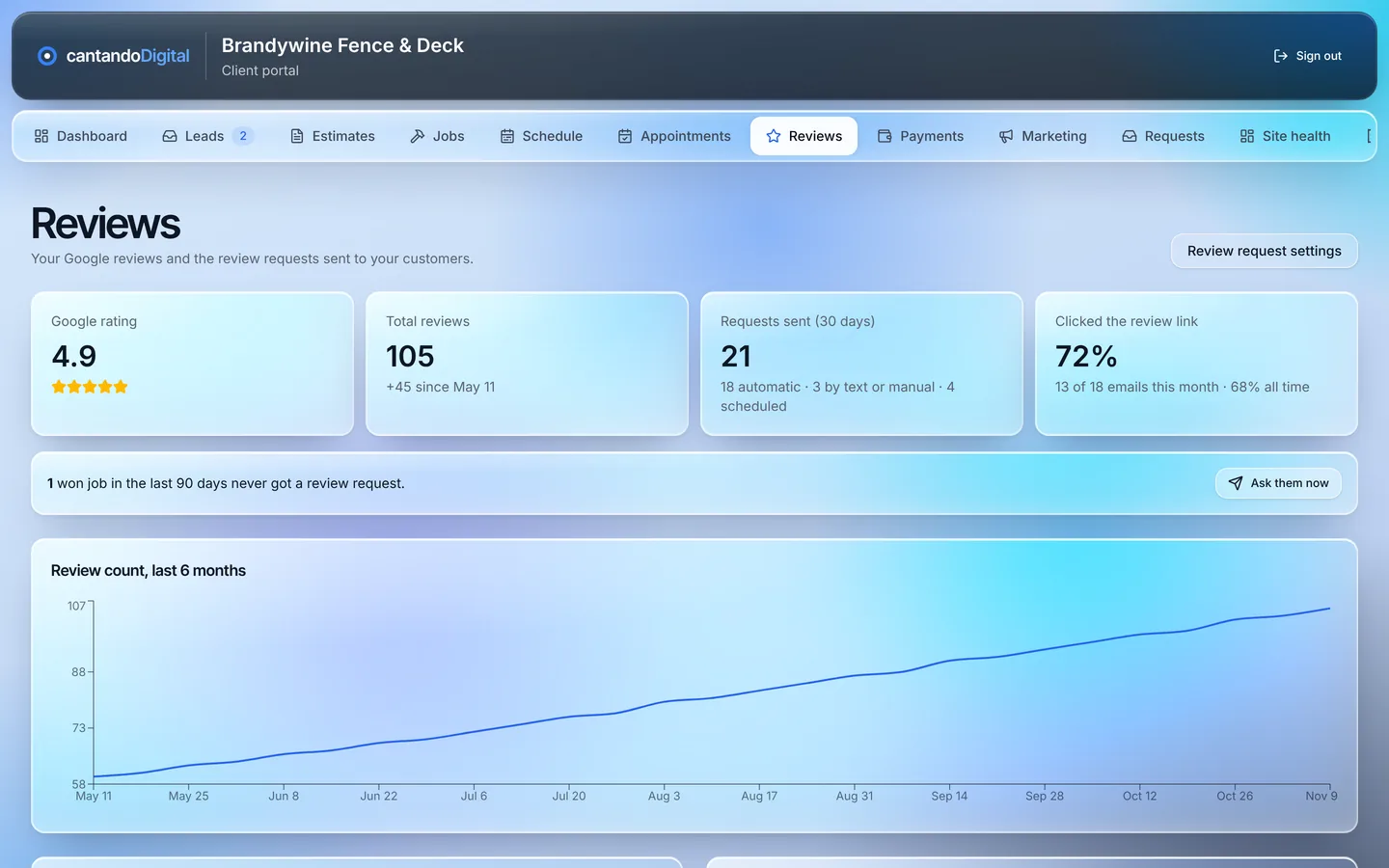
CRM EnterpriseWhen you mark a job won, the CRM asks the homeowner for a Google review a few days later and sends one reminder if they don't click. The review dashboard shows your Google rating and how your review count grows.
- Automatic review requests and reminders
- Your rating and review-count growth
- See who clicked and who still needs a nudge
Repeat business
Turn past customers into your next jobs.
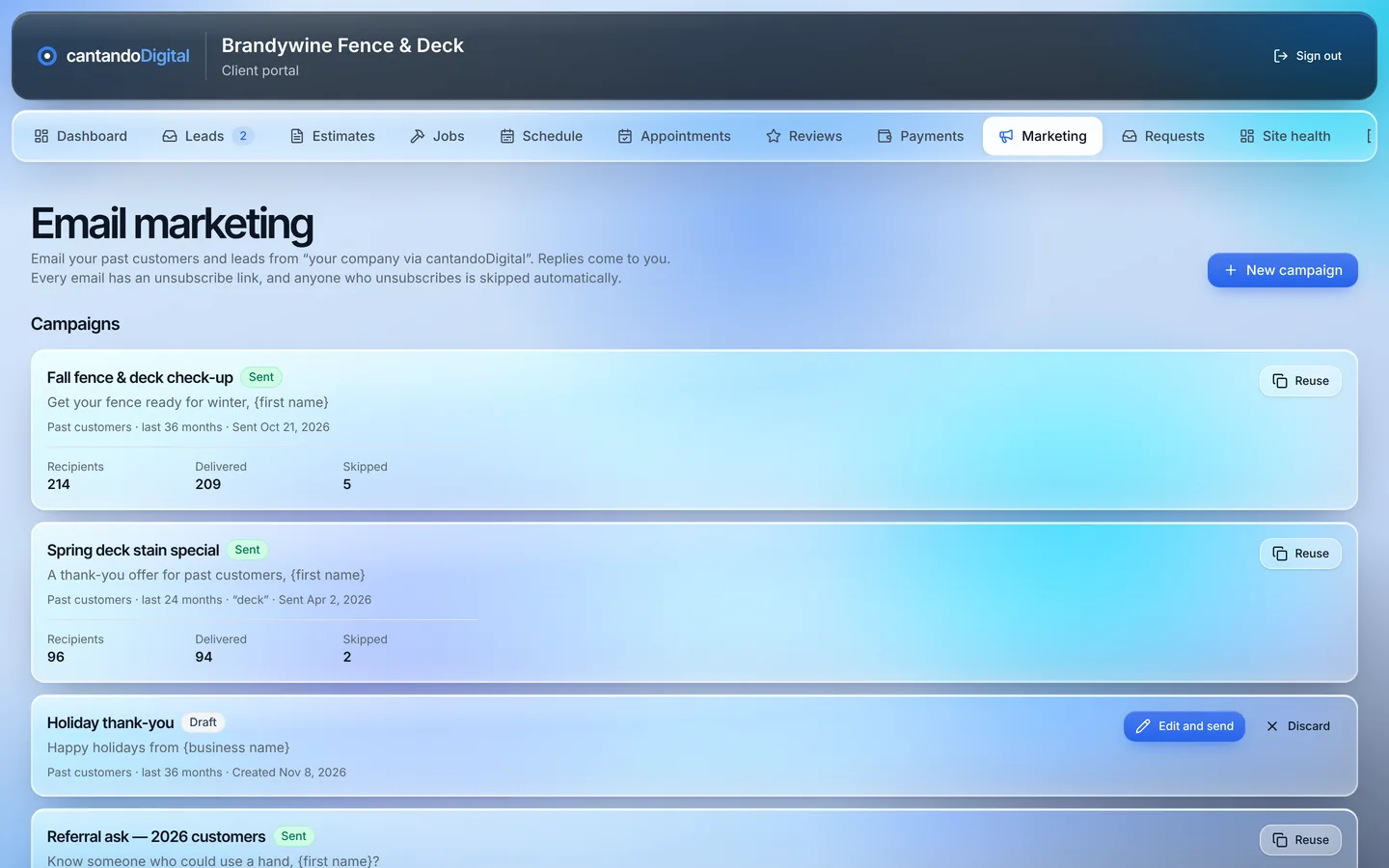
CRM EnterpriseEmail past customers about seasonal work, maintenance and referrals with campaigns that use their name and the job you did for them. Set maintenance reminders once and they go out every year.
- Campaigns to past customers
- Yearly maintenance reminders
- Unsubscribe handled for you
How to get it
Included with our marketing packages
The CRM isn't sold on its own. It comes with the SEO and lead generation that fill it with leads.
Which CRM comes with each package
SEO Only and Get Found include CRM Pro, and you can upgrade to Enterprise for +$300/mo. Fill the Schedule includes CRM Enterprise. The package’s one-time build fee covers your CRM setup.
CRM Pro vs. CRM Enterprise
| Feature | Pro | Enterprise |
|---|---|---|
| Lead inbox and pipeline | ✓ | ✓ |
| Call, text and email from any lead | ✓ | ✓ |
| New-lead email alerts | ✓ | ✓ |
| Branded PDF estimates and price book | ✓ | ✓ |
| Lead source and return-on-spend reporting | ✓ | ✓ |
| Website and form health checks | ✓ | ✓ |
| E-signatures on any phone | — | ✓ |
| Good / Better / Best estimates | — | ✓ |
| Change orders | — | ✓ |
| Estimate view tracking and follow-ups | — | ✓ |
| Lead scoring and phone alerts | — | ✓ |
| Online booking | — | ✓ |
| Jobs, crew calendar and photos | — | ✓ |
| Job profit tracking | — | ✓ |
| Monthly report email | — | ✓ |
| Invoices, deposits and online payments | — | ✓ |
| QuickBooks Online sync | — | ✓ |
| Review requests and review dashboard | — | ✓ |
| Past-customer campaigns | — | ✓ |
| Homeowner job page | — | ✓ |
Setup
We set it up for you
01
We build your account
Your logo, colors, services, price book and team, set up for you.
02
We connect your leads
Your website forms and phone leads flow straight into the inbox.
03
We connect your tools
With Enterprise, we connect your Stripe and QuickBooks accounts.
04
We train your team
A walkthrough for you and your office, then we're a call or text away.
FAQ
CRM questions
How do I get the CRM?
Can I get the CRM without a marketing package?
What's the difference between Pro and Enterprise?
Can I move from Pro to Enterprise later?
Do you take a cut of my payments?
Does it work on my phone?
Do I need a new website to use it?
Does it work for my trade?
See it with your own leads
Tell us where to reach you and what you're looking for. We’ll set up a 30-minute demo and reply within one business day.
Already on one of our marketing packages? Choose the upgrade option. Your CRM is already set up, so there’s no setup fee, and Enterprise switches on in your account.